Targets that adapt
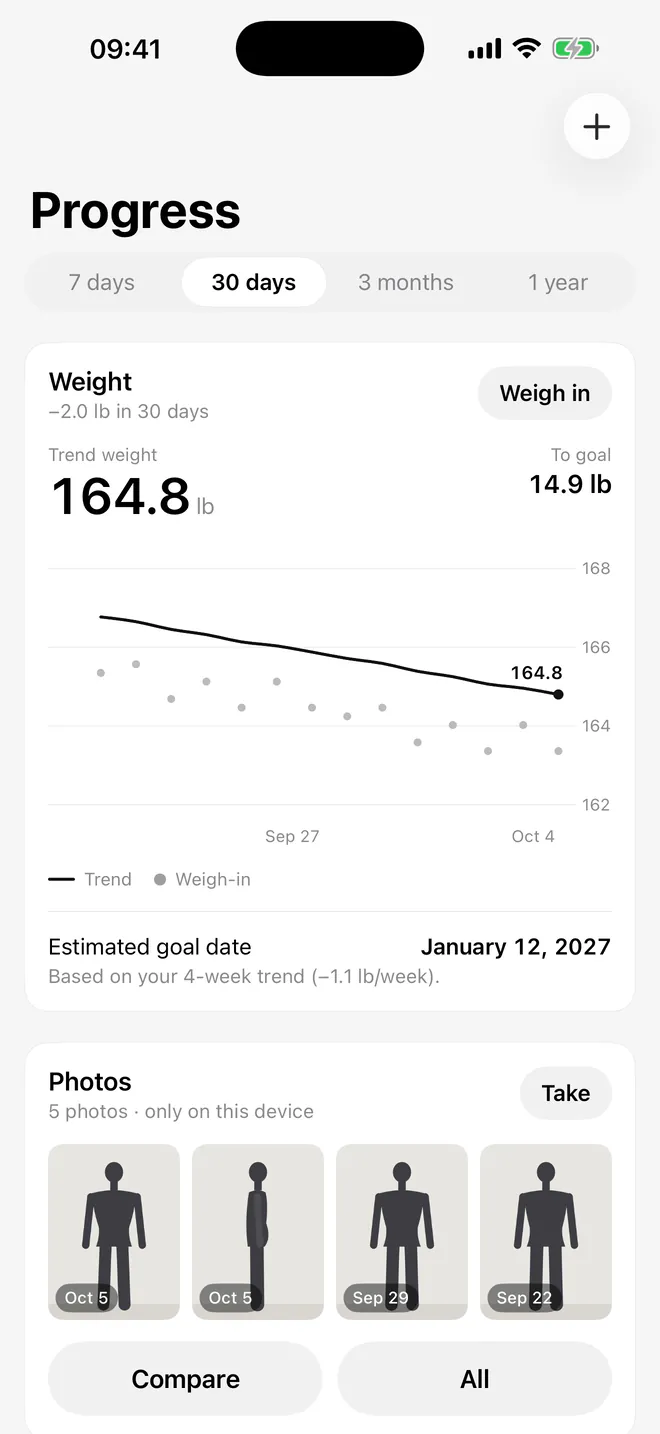
Your calorie and macro targets update every week from your weight trend and your logs, and Portiva tells you why in plain words. Prefer a weekly budget to a daily one? Switch to it.
 Portiva for iPhone and Apple Watch
Portiva is a calorie and macro coach that recognizes your plate, asks one short question when it isn’t sure, and logs it with a tap. Real home cooking, fair prices, no ads.
Free to download. Manual and barcode logging stay unlimited on every plan.

How it works
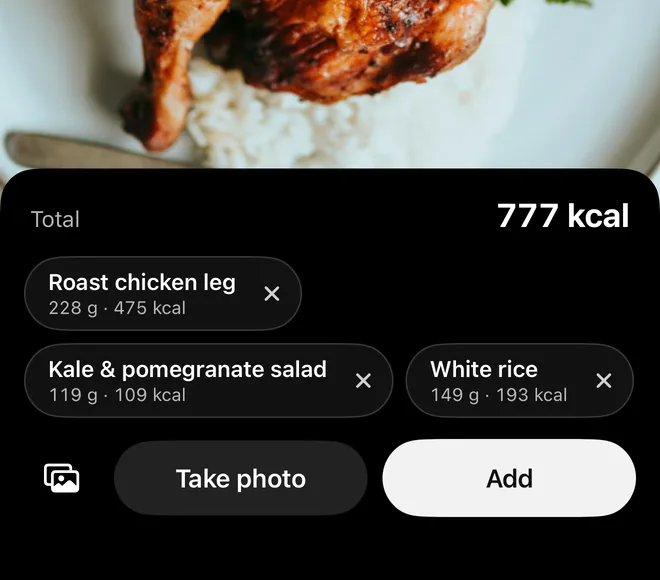
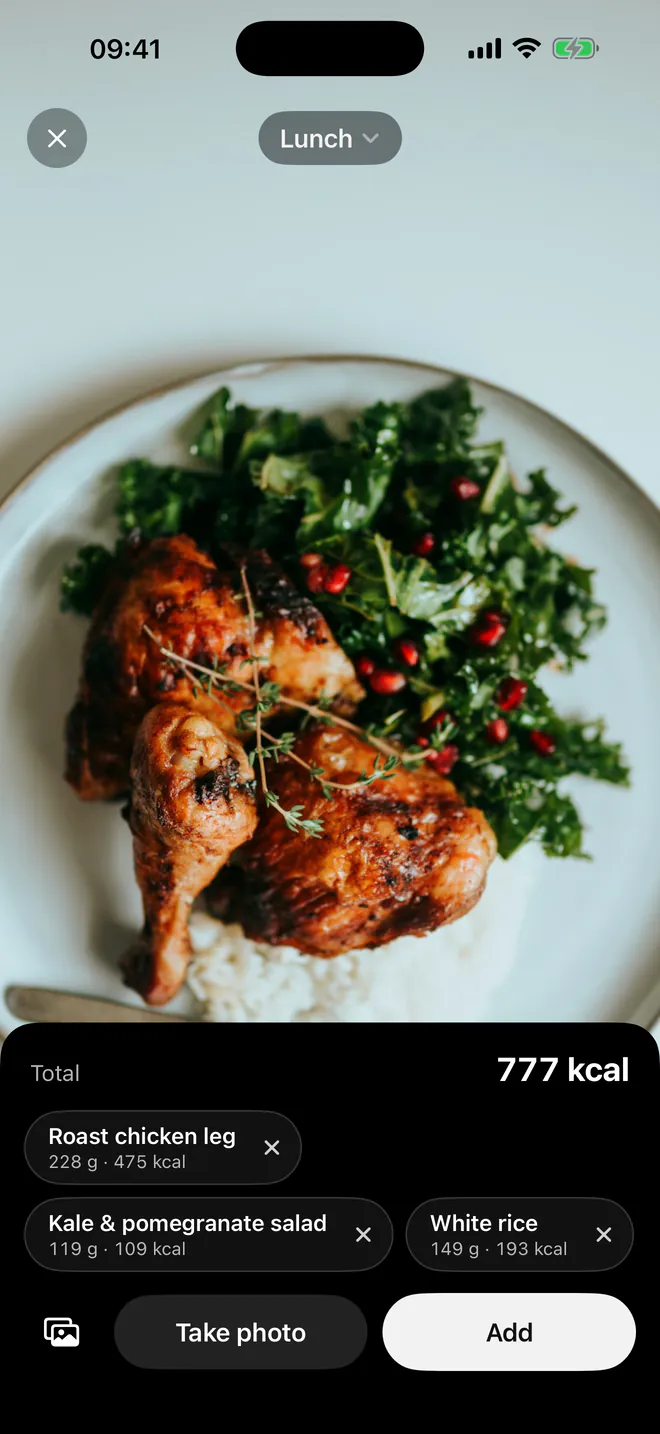
Point your camera at the plate and the items appear as you move: no shutter, no typing. Or take a photo, say what you ate, or type a sentence.
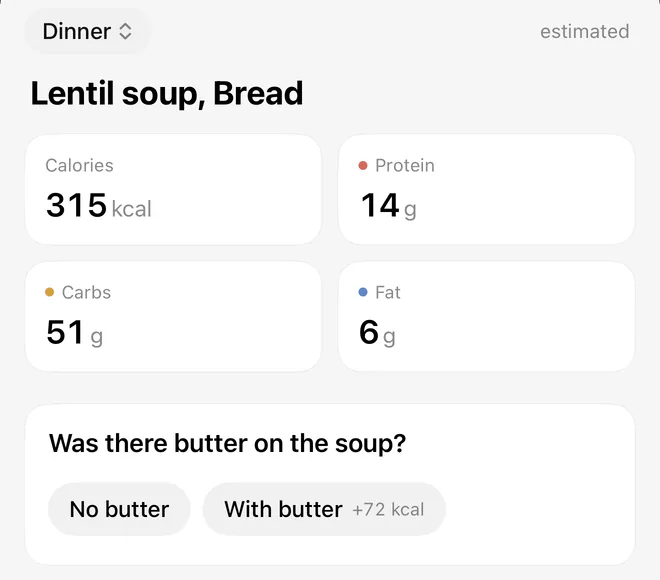
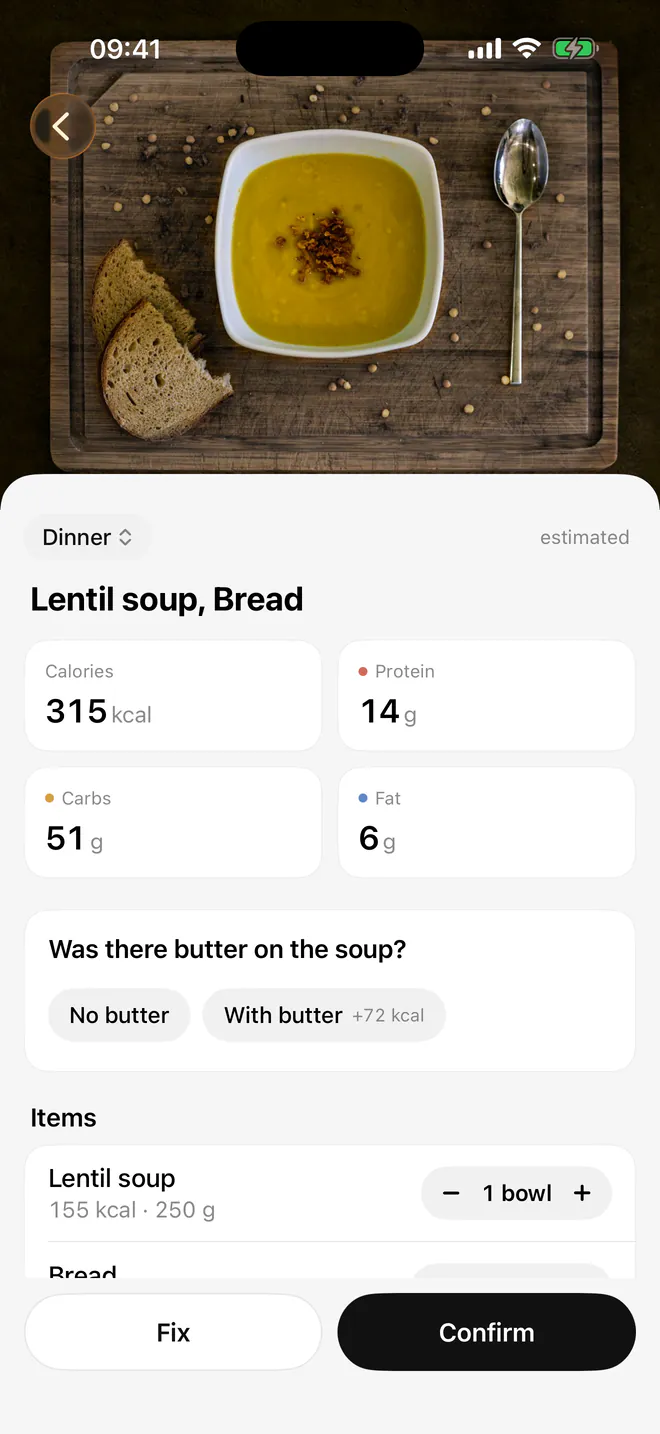
When something changes the calories a lot, like butter on the soup or oil in the pan, Portiva asks one short question instead of guessing.
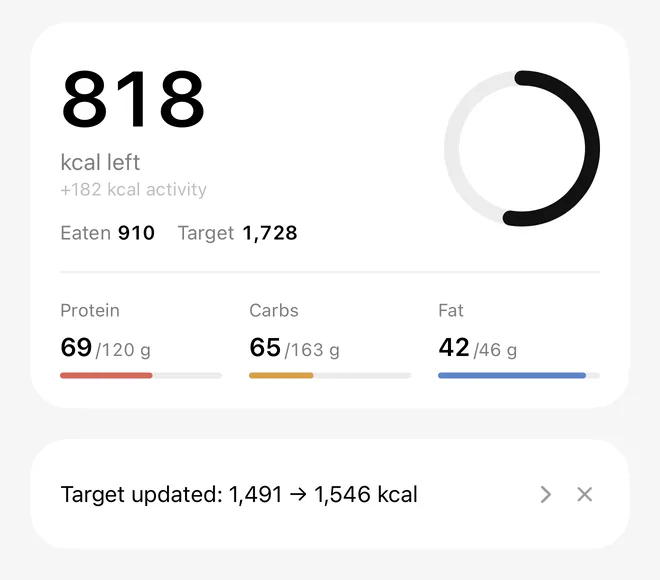
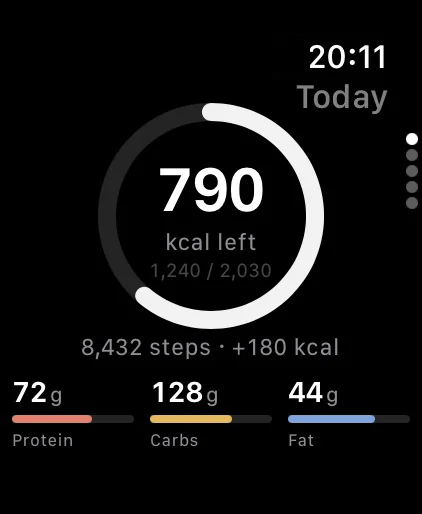
Fix anything with a tap, then log. Your day updates right away: calories left, protein, carbs and fat.
Features
Fast to log, honest about what it doesn’t know, and at home in any kitchen.
Your calorie and macro targets update every week from your weight trend and your logs, and Portiva tells you why in plain words. Prefer a weekly budget to a daily one? Switch to it.
Pro
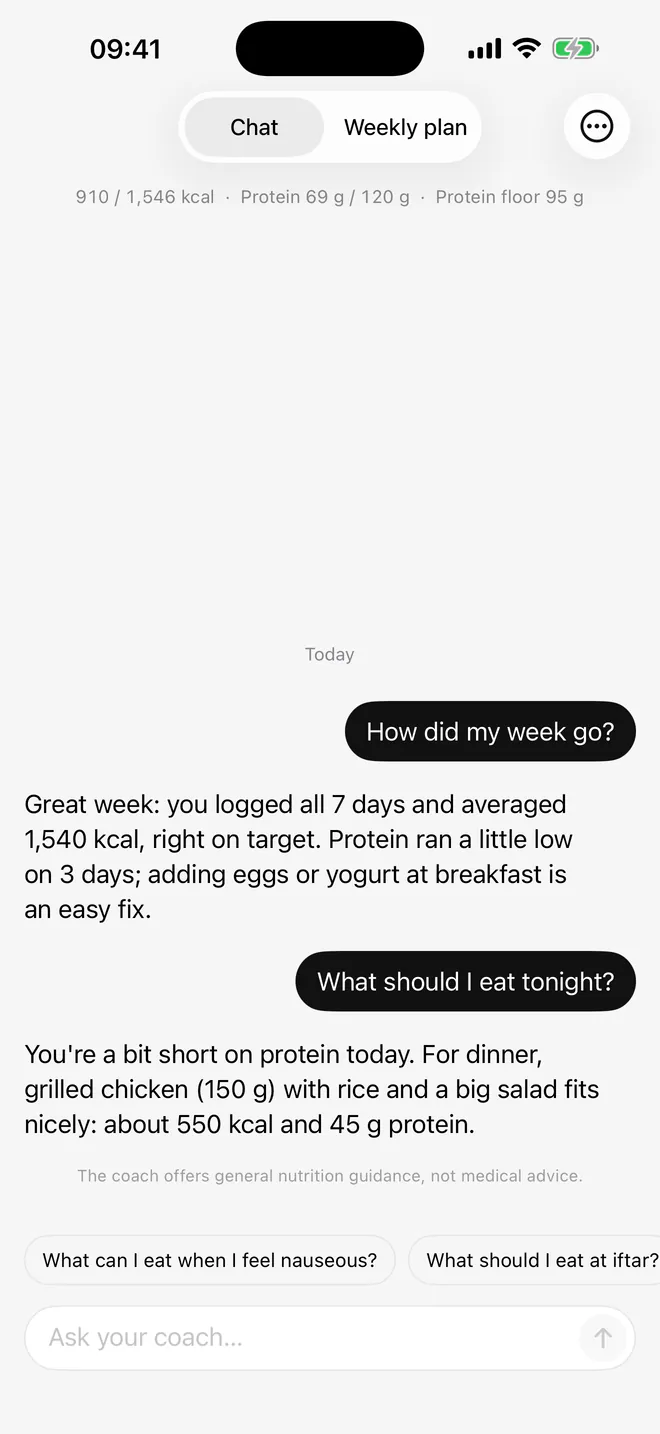
Ask how your week went or what to have for dinner. The AI coach answers in your language, looks at what you logged, and suggests food you can find where you live.
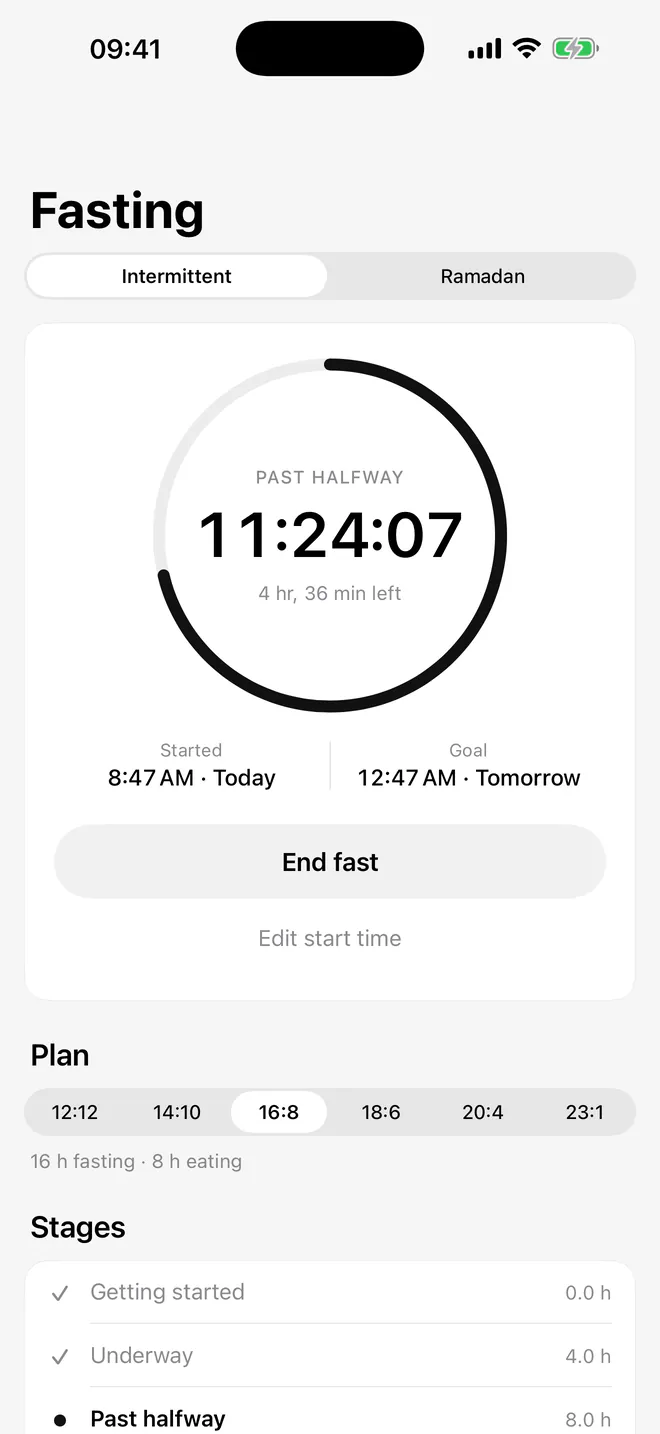
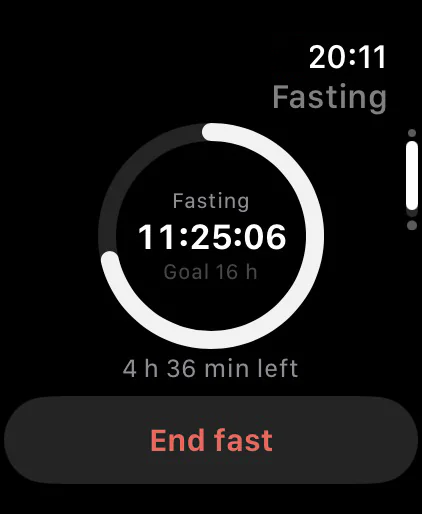
Imsak and iftar times for your city, sahur and iftar meals, and an intermittent fasting timer.
Plus
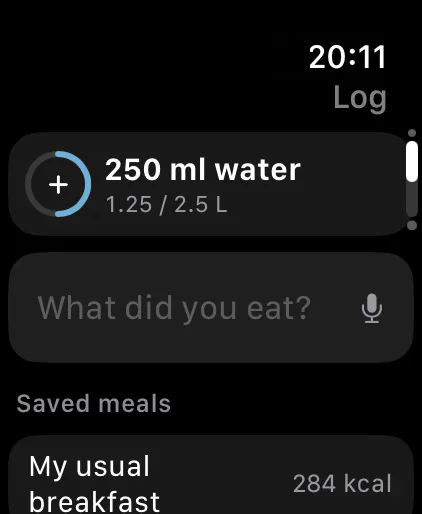
Log water, routine meals and weight from your wrist, and see what’s left on your watch face.
Dishes from kitchens around the world, in bowls, cups and slices as well as grams. Scan barcodes, read a nutrition label from a photo, and cook one shared pot for the whole family.
Pro
Keeps your dose schedule, reminders, a symptom log and a daily protein floor. It never suggests a dose.
Steps and workouts from Apple Health count toward your day. Achievements reward consistency, never eating less.
Privacy
Your diary is health data. We treat it that way.
No ads on any plan, no tracking across apps or websites, and your data is never sold.
Your diary lives on your iPhone. Create an account only if you want a backup, stored in the EU (Frankfurt).
Photos and text go to our AI provider in the US only after you give explicit consent. We don’t store them, and they aren’t used to train AI models.
Export or delete all your data from Profile at any time. Deleting your account removes your cloud backup too.
Pricing
Start free and upgrade only if you want more. The price you see is the amount you’re billed.
For logging every day
For logging with AI
For coaching and planning
FAQ
Short answers here. Everything else is on the support page.
More answers and contact Guides on calories, protein and fasting
Yes. Manual and barcode logging, the food database, one AI log a day, basic fasting and Ramadan tools and 30 days of history are free, with no ads. Plus and Pro add more.
Photo, voice and text estimates are a starting point, not a measurement. Portiva shows every item with its portion, asks when something important is unclear, and you can change anything before saving. Hidden oil and portion size are the usual sources of error, so give them a quick look.
No. Portiva works on your iPhone without one. An account (Sign in with Apple or Google) backs up your diary so it stays with you on a new phone.
With your explicit consent, a photo is resized, stripped of location data and sent to our AI provider in the US for analysis. We don’t store it, and it isn’t used to train AI models. The Privacy Policy has the details.
Yes. Portiva can read your weight, steps, active energy and workouts from Apple Health, and write your meals, water, weight and workouts back. With Plus, the Watch app logs water, routine meals and weight.
No. Portiva gives general guidance about food and activity. Talk to your doctor or a dietitian before changing your diet, especially if you’re pregnant or breastfeeding, have a health condition, or take medication such as a GLP-1.
On your iPhone, open Settings, tap your name, then Subscriptions, choose Portiva and tap Cancel Subscription. In the app, Profile › Manage subscription takes you to the same place.
Free to download. No ads, and no account needed.